
AmberCutie's Forum
An adult community for cam models and members to discuss all the things!

Stripchat: Latest News, New Features & Important Updates

  • ** WARNING - ACF CONTAINS ADULT CONTENT **
    Only persons aged 18 or over may read or post to the forums, without regard to whether an adult actually owns the registration or parental/guardian permission. AmberCutie's Forum (ACF) is for use by adults only and contains adult content. By continuing to use this site you are confirming that you are at least 18 years of age.
Patch Notes: June 2026

Fresh updates have landed on the platform. From February to April we shipped a few new features and cleared out some bugs you reported:

-Models can now set custom prices for each Fan Club tier: Soldier, Lord, and Prince.
-Studios can change their username, just like individual models.
-Fan Club earnings show only the subscriptions paid in the current month, so the amount is accurate.
-Models no longer stay hidden in a region after removing it from their geo-block settings.
-Ticket and Group shows now start even when page translation is enabled.

Read the full Patch Notes on our blog: https://stripchat.com/blog/stripchat-patch-notes-june-2026/

1783026502647.png
 
  • Like
Reactions: NotYou
Upvote 0
Amazon Wishlists are back!

Amazon Wishlist links are back with a required consent step.

You can once again share your wishlist with fans and receive gifts. To make sure you stay informed, a consent step is now required before you add your link.

Amazon may disclose your delivery address to third parties, including gift buyers. So, before sharing your wishlist, you’ll need to confirm that you acknowledge a potential privacy risk.

To add your Amazon Wishlist:
  1. Go to My Profile
  2. Paste your link into the Amazon Wishlist field
  3. Check the privacy notice box
  4. Save your changes
Note that if you do not accept the privacy notice, your wishlist link will remain hidden. This update keeps the feature available while giving you clear control over your privacy.

Amazonback.png
 
Upvote 0
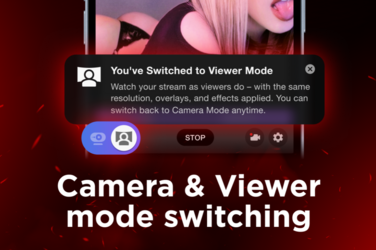
See Your Stream the Way Viewers Do, Even via OBS

Want to see your stream exactly as viewers do? Now you can switch to Viewer mode during your live show in real time.

Whether you broadcast directly from the site or stream via OBS, Viewer mode shows your stream from the user's perspective. So even if you're running an external software, you'll see exactly what your audience sees. No second device, no guesswork.

This way, you can review how your stream looks and easily spot technical issues while you’re live. Toggle between Camera mode (your own view) and Viewer mode anytime.

How to use it:
- Start your live stream
- Go to the bottom left corner of your camera window
- Click the Viewer mode icon with a person and a screen to switch views

Try Viewer mode in your next show to stay in control of the stream quality and fine-tune your performance.

1783609806289.png
 
Upvote 0

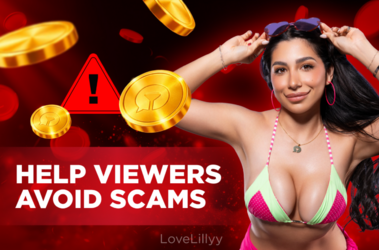
Help Protect Your Viewers From Free Token Scams​


Your viewers trust you, and that trust is one of the most valuable things you build as a creator.

That's why LoveLillyy has teamed up with Stripchat to tackle one of the biggest scams affecting our community. In our latest YouTube video, she explains how fake token generators and scam websites work, the warning signs to look out for, and how users can protect themselves.

If your viewers ever ask about free Stripchat tokens, this is the video to share.

The only legitimate way for them to get free Stripchat tokens is through the hourly draw on Stripchat. If a website, video or app tells users otherwise, it's a scam.

🎦 Watch the full video on our YouTube channel, then share it with your community to help keep your fans safe.

Together, we can help protect more fans from scams.

Lilyscams.png
 
  • Like
  • Helpful!
Reactions: NotYou and Maxi
Upvote 0

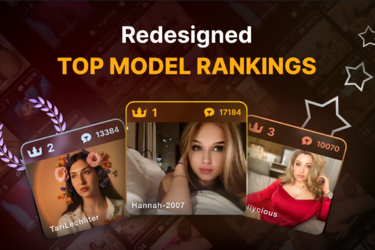
Your Top Model Ranking Just Got a Glow-Up​


We reimagined the Top Model rankings to give higher positions even more recognition. Every step up carries more meaning and makes your climb feel much more rewarding.

Last year, we expanded the Top Model ranking from 100 to 1000 positions. Now, it’s time to give the ranking a fresh look.

Following your feedback, we redesigned the Top Model page to better reflect the status of your place.

The monthly leaderboards for each category have a new visual structure that brings more distinction to the top. Instead of one long list, positions are now grouped into tiers.

You can see the new design on the Current Month Top and Last Month Winners pages across all genders. The new groups are:

  • Winners: positions 1–3
  • Top Performers: positions 4–20
  • Top 100: positions 21–100
  • Top 1000: positions 101+
There’s no overlooking how far you’ve come. You can see your progress at a glance and actually feel when you’ve made it to the next level.

Go to the Top Models page, find your tier, and set your sights on the next one. We’re rooting for you.

top.png
 
Upvote 0

Help Protect Your Viewers From Free Token Scams​


Your viewers trust you, and that trust is one of the most valuable things you build as a creator.

That's why LoveLillyy has teamed up with Stripchat to tackle one of the biggest scams affecting our community. In our latest YouTube video, she explains how fake token generators and scam websites work, the warning signs to look out for, and how users can protect themselves.

If your viewers ever ask about free Stripchat tokens, this is the video to share.

The only legitimate way for them to get free Stripchat tokens is through the hourly draw on Stripchat. If a website, video or app tells users otherwise, it's a scam.

🎦 Watch the full video on our YouTube channel, then share it with your community to help keep your fans safe.

Together, we can help protect more fans from scams.

View attachment 107119


If they are stupid enough to fall for this scam they deserve it. Account hacked and used to attempt scamming others. But what is funny when I report someone for selling tokens off site by using the "report" button on the message they post in the chat nothing happens to them. I have reported one in a room then about 10 minutes later went to another room and the same account was in this room spamming for off site tokens.
 
Upvote 0
Updated Community Guidelines: Clearer Guidance for Real Streaming Situations

We’ve updated the Community Guidelines to make them clearer, more transparent, and easier to use in everyday streaming situations.

We know it isn’t always easy to understand how a rule applies to a specific moment on camera. The updated Guidelines include clearer explanations and brand-new enforcement notes for relevant policy areas. These notes answer questions we hear most often.

Alongside these practical explanations, the update highlights a key principle behind moderation: context matters. We review the whole situation rather than isolated words, objects, or moments in a broadcast. A single unverified report does not trigger enforcement on its own.

Read the updated Community Guidelines to get a better sense of the platform’s boundaries and what to expect from moderation: https://support.stripchat.com/hc/en-us/articles/4410728017553-Stripchat-Community-Guidelines

Guidelines.png
 
  • Like
Reactions: NotYou
Upvote 0
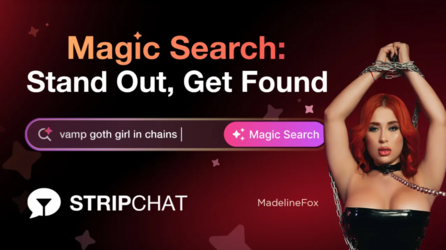
Magic Search is now unlimited for everyone on Stripchat, guests included!

That means more people can find your room by describing what they want to see.

They type it in their own words, in any of more than 50 languages, and Magic Search shows the live rooms that match.

Being different can make you easier to find. A distinctive outfit, setup, or look can get you discovered even when no category fits it. One user just has to describe it. And users who come looking for something specific are more likely to stay and tip than those who are just browsing.

Your tags and categories still work as before. Magic Search is one more way for users to find you.

Our computer vision technology matches what’s visible in your stream. If your outfit, toys, or tattoos are in the frame, users who describe them can find you. The more particular your show, the more Magic Search works in your favor.

This is just the start. Our product team will keep improving Magic Search!

Magic.png
 
Upvote 0
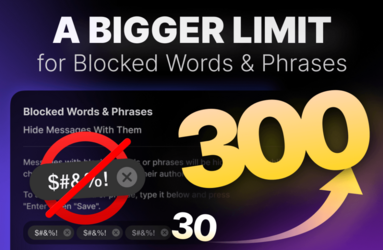
Keep Unwanted Messages Out of Your Chat with Up to 300 Blocked Words & Phrases

We’ve increased the limit for Blocked Words & Phrases from 30 to 300. Use the extra room to manage your chat on your terms and make it feel safer.

Focus on your stream without worrying about unwanted content cluttering up your chat. Messages containing a word or phrase on your list are hidden from chat participants.

To add a word or phrase:
  1. Go to Settings → Privacy
  2. Scroll to Blocked Words & Phrases
  3. Enter a word or phrase in the dedicated field and press Enter
  4. Click Save
Any language works, so your list can be as international as your audience. With 300 slots available, you can cover more ground without compromising on what you want to keep out of your chat. Add what you need and adjust your list as you go.

300.png
 
Upvote 0