VIP Show  VIP Show
 is a special mode of your public Live Stream that turns it into a ticketed private show for your current viewers.
 How it Works
1. Start with a public stream
Begin your Live Stream and attract viewers.
2. Build your audience
Engage with viewers and grow the room.
3. Switch to VIP Show
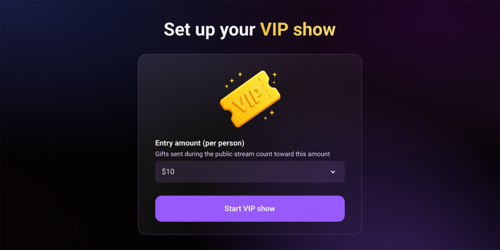
When you feel the audience is ready, activate VIP Show and set the ticket price.
4. Wait for viewers to join
Viewers will need to buy a ticket or send gifts to reach the required amount to enter the VIP room.
5. Run your VIP show
Once viewers join, you have more freedom to run the stream in a way that suits you and your audience.
6. Get extra tips
Viewers can still send gifts and help you reach your stream goals during the show.
Ticket Price
Only users who buy a ticket or reach the required amount through gifts during the Live Stream can enter the VIP Show. The entry price can range from $0.50 to $10 per viewer.
Public Stream Closes
Once the VIP Show starts, your stream is no longer free to watch.
New viewers will see a prompt asking them to purchase access to continue watching.
Running the Show
The VIP Show format is completely up to you:
Duration — Run the show for as long as you like.
Content — Choose the scenario, actions, and activities.
Interaction — Chat, respond to requests, and engage with viewers.
Tips & Goals — Continue receiving gifts and reaching your stream goals.
You control the experience and can run the show in the way that works best for you and your audience.





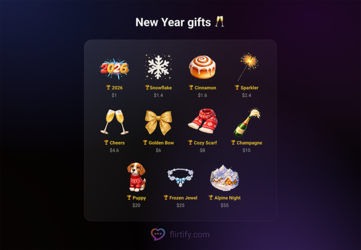




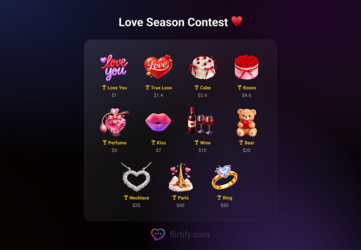
 trophy icon as possible to compete for prizes!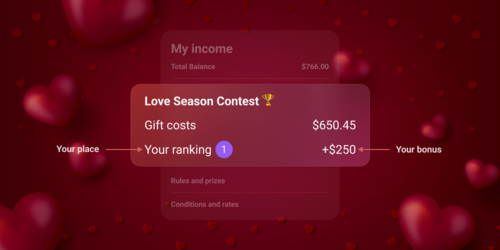
 The contest starts when you see the Love Season gifts on Flirtify.
 Only 3 days left in the Love Season Contest!